Remote support Remote assistance for an agreed support session.
Many questions and faults can be sorted out together on your screen. Please call me before you start a session: once we have agreed on the task and the terms, I will guide you through connecting.
TeamViewer QuickSupport.
For an agreed session we use TeamViewer QuickSupport. Choose the version for your operating system.
If TeamViewer is already installed on your computer, please let me know before you start. We will then agree on how to connect.
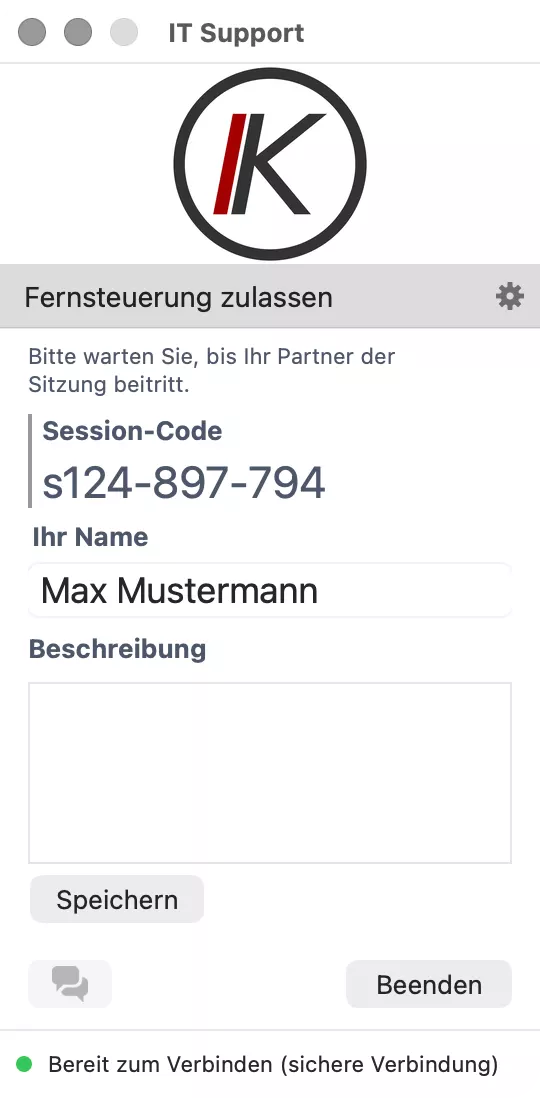
Three steps to remote support.
-
01
Download
Download the program for Windows or macOS.
-
02
Open it
Start the program. On a Mac you may need to grant additional permissions for screen recording and control.
-
03
Confirm the connection
I will guide you through connecting. Only confirm the session once we are in touch.
What happens — and what does not.
-
01
You start the session
As long as you do not open the program, no connection is established. I cannot connect on my own initiative.
-
02
You see everything
The session runs on your screen. You see every movement and can end the session at any time.
-
03
No installation
The program is not installed and only runs while it is open. Close it and the session ends.
-
04
Encrypted connection
TeamViewer encrypts the connection end to end.
-
05
On a smartphone
TeamViewer QuickSupport is also available for iPhone and Android. On an iPhone I can only see your screen and talk you through the steps. The permissions required depend on the device.
-
06
For support clients
On devices I look after on an ongoing basis, remote access is often already set up. In that case, use the support route we have agreed.
Need help?
Give me a call and we will check whether a remote session is possible. With new clients we agree the scope and billing beforehand.