IT for medical practices: coordinating practice software, network and backup
What the KBV's IT security guideline requires of practices, where the TI service provider's job ends, and how I set up the practice network and backup.
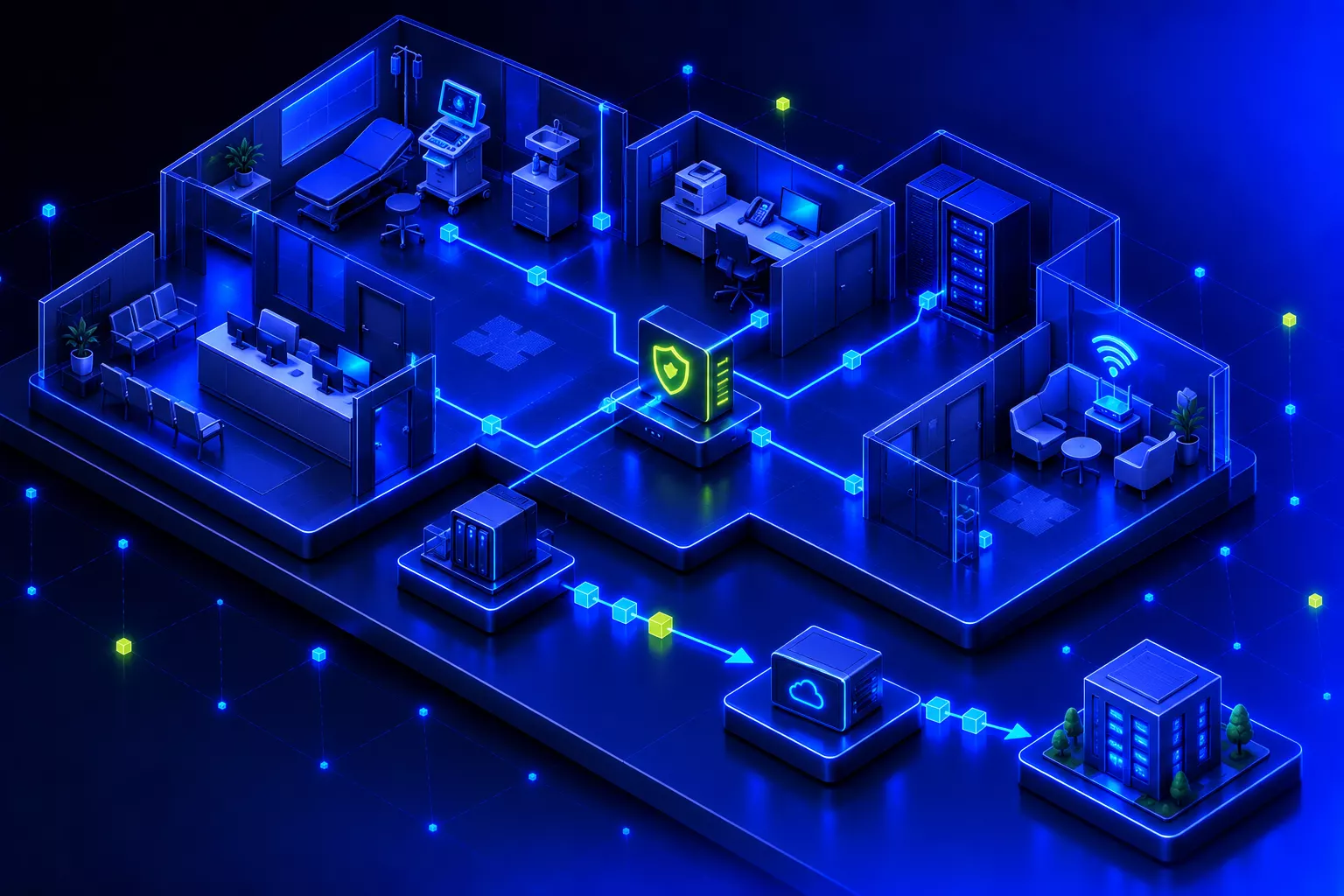
IT for medical practices has to bring the practice software, devices, network and external services together, and any change quickly affects the running of the practice. I plan and carry out the technical work and coordinate it with the practice software vendor and any other providers involved. The framework is set by the KBV’s IT security guideline, which is binding for every practice in statutory health care in Germany.
What the KBV’s IT security guideline requires
Section 390 SGB V obliges the National Association of Statutory Health Insurance Physicians (KBV) to set out the IT security requirements for practices in a guideline. It is binding for every practice that takes part in statutory health care. The current version has applied since 1 April 2025. Practices had to implement its new requirements by 1 October 2025. The main additions were regular information security training for practice staff and rules for handling spam.
How much a practice has to implement depends on the number of people who regularly work with its data:
Annex 1 with the basic requirements. It applies to every practice, for example a firewall, prompt updates, virus protection, a documented network plan and a defined backup.
Annex 2 on top, including central logging, encrypted connections, restrictive permissions and rules for smartphones and removable media.
Annex 3 on top. It also applies to large laboratories and large medical care centres whose data processing goes beyond normal data transmission.
Annex 4 adds requirements for large medical equipment such as CT or MRI. Annex 5 covers the telematics infrastructure (TI) components in the practice, meaning the connector and card terminals. The KBV publishes all requirements with explanations and templates on hub.kbv.de (in German). Practices ask me about the guideline, and I find it a useful basis: it is concrete enough to work through point by point.
The law also provides for the KBV to certify staff of IT providers on application, and the KBV keeps a directory of these providers. The KBV itself describes it as an optional offer. Practices can also get help with the guideline from a provider who is not certified. What matters is that the requirements are met and documented.
Practice software, TI provider and network: who does what
Several parties usually work on IT for medical practices. The TI service provider has a clearly defined area. It covers the connector, the card terminals and the link to the telematics infrastructure. The vendor of the practice software looks after its program. My job is everything in between and around it. The practice software has to run without restrictions on workstations and servers. And I secure the network so that patient data can only end up where it belongs.
Where our areas meet, I work closely with the TI service provider. One example is the connection between the practice software and the connector. Annex 5 requires TLS encryption and client authentication for it, and we set that up together.
In the practices I take over, the connector usually works. But where nobody has been explicitly responsible for the rest of the IT for a long time, there is often plenty to sort out. My advice: use the annexes of the guideline as a checklist and ask to be shown which points are met and documented. That gives you a clear inventory before anyone changes anything.
When choosing practice software, the bigger difference in my view lies less in the operating system than in the overall concept. Tomedo, which I introduced together with the vendor at the specialist practice in my case study, is built for Mac, iPad and iPhone. The vendor can therefore treat hardware and software more as one unit. There are fewer different device configurations, and administration, updates and support become simpler. Windows solutions usually offer a wider choice of hardware and third-party systems. In return, they bring more variants and dependencies. Both can be the right choice. It depends on what the practice needs.
Why should a practice network be split into zones?
Because sensitive data should only be able to end up where it is allowed to go. In a flat network, every device can reach every other one. The printer reaches the server, the phone the practice PC, and in the worst case a patient’s device on the Wi-Fi reaches both. I therefore split the practice network into zones with VLANs, which are logically separate networks on the same cabling. Between the zones, the firewall decides with strict rules which connection is allowed. I check these rules closely. These are the zones I typically set up:
Workstations at reception and in the treatment rooms, with access to the practice software and server.
Medical devices in a segment of their own. They may only talk to the systems that actually need their data.
A zone each, so that a printer or a phone does not become a way into the rest of the network.
The administration interfaces of switches, access points and firewall, reachable only for administration.
Guest Wi-Fi only reaches the internet, never the practice network. More and more often a separate Wi-Fi for IoT devices is added.
The guideline requires a firewall at the transition to the internet and a documented network plan that shows how the network is zoned and segmented. The KBV also recommends connecting medical devices in a network segment of their own. I describe in more detail how I split networks with VLANs and firewall rules in the article on several companies in one network. The principle is the same.
I make changes like these outside surgery hours. That way no patient notices anything and nothing holds up work at reception. And always one area at a time: first the network segmentation, then for example the phone system, after that bringing the devices into central device management. Each step is finished and checked before the next one starts.
Practice backup following the 3-2-1 principle
The 3-2-1 rule is a simple rule of thumb that the German Federal Office for Information Security (BSI) also recommends: three copies of the data, on two different media, one of them at another location. The KBV names it explicitly as an example in the guideline. Annex 1 also requires protecting the backup against unauthorised access, naming who is responsible for it, and testing restores.
In a practice I implement this in three stages:
- Locally on the server. A Proxmox Backup Server backs up directly on site. From there I can quickly bring back a single state, for example when data has been changed by mistake.
- On a NAS, physically separate. A second copy sits on its own storage, physically separate from the server. Damage to the server then does not hit both copies.
- In a data centre. A second Proxmox Backup Server in the data centre fetches the encrypted backups itself. The connection is always opened from the data centre, never from the practice, and it is read-only: from the data centre, no data on the backup server in the practice can be changed or deleted. This backup server cannot be reached from the practice network, so an attacker there has no easy way to get at this copy. It is not a physical air gap but logical separation with restricted access, and for me it is standard for any backup.
The third stage is the one that counts in an attack. The case in my article on a ransomware attack and recovery within 48 hours shows what a backup the attacker cannot reach is worth. Technical details on Proxmox Backup Server are in the article on Proxmox in business. Securing a practice’s IT is part of my services in IT security. Servers and network belong to infrastructure.
Frequently asked questions
Does a medical practice have to hire a certified IT service provider?
No. The KBV keeps a directory of providers certified to implement the IT security guideline, but describes it itself as an optional offer. Practices can also hire a provider who is not certified. What is mandatory is implementing the guideline itself.
Which requirements of the IT security guideline apply to my practice?
Annex 1 applies to every practice treating statutory patients. If six to twenty people regularly work with the practice’s data, Annex 2 is added, and with more than twenty people Annex 3. Annex 4 concerns practices with large equipment such as CT or MRI, and Annex 5 the telematics infrastructure components.
Isn’t the TI service provider also responsible for the rest of the practice IT?
Usually not. The provider is responsible for the connector, the card terminals and the link to the telematics infrastructure. Workstations, servers, network and backup need someone of their own who is responsible. What matters is that both sides work well together and that the handovers are documented.
Sources
- Guideline, binding effect, certification of providers: Section 390 SGB V – IT security in statutory medical and dental care (in German)
- Practice sizes, annexes, deadlines, certified providers as an optional offer: KBV – IT-Sicherheit (in German, as of September 2026)
- New requirements from 1 October 2025: KBV practice news – IT security guideline with new requirements (in German, 3 April 2025)
- Firewall, network plan, backup and the 3-2-1 rule: KBV Hub – Annex 1: requirements for practices (in German, as of September 2026)
- Additional requirements for medium-sized practices: KBV Hub – Annex 2 (in German, as of September 2026)
- Connector, TLS between practice software and connector: KBV Hub – Annex 5: local components of the telematics infrastructure (in German, as of September 2026)
- Medical devices in a network segment of their own: KBV practice news – Why a firewall is indispensable for IT security (in German, 7 May 2026)
- 3-2-1 rule: BSI – Proposals for business continuity strategies, aid to BSI Standard 200-4 (in German, November 2023)
- Platforms supported by Tomedo: zollsoft – tomedo (as of September 2026)

Hornetsecurity for Microsoft 365: when additional email security makes sense
Why I usually add Hornetsecurity for email protection when clients use Business Standard, how the switch works, and when I recommend Business Premium instead.
Read article→
A ransomware attack in practice: 60 employees back at work within 48 hours
Every computer and file share encrypted, but not the backups. How an offline backup brought a company back without paying a ransom, in which order the systems returned and what changed afterwards.
Read article→
NIS2 and small businesses: checking whether it applies, preparing IT measures
NIS2 has applied in Germany since December 2025. Whether a business is in scope depends on sector, size and structure. Small businesses are often affected indirectly, as suppliers or service providers to customers in scope.
Read article→