Microsoft 365 alternatives for businesses compared
The outage on 12 November and higher licence prices are a reason to look at alternatives to Microsoft 365. European and open-source options for Outlook, Teams, SharePoint and OneNote compared, with strengths, weaknesses, licence costs and three paths to more independence.

On 12 November 2026, Microsoft 365 suffered major disruptions worldwide, above all Exchange Online. Add the price increase in July and the question of who may access data held by a US corporation. Which Microsoft 365 alternatives exist, and is switching worth it? Here are the main options for Outlook, Teams, SharePoint and OneNote compared.
Why companies are looking for Microsoft 365 alternatives now
The disruption on 12 November affected Exchange Online and functions of other Microsoft 365 services. Email and calendars were partly unavailable or delayed. In Teams, mainly functions linked to Exchange were affected; SharePoint files remained largely accessible. Microsoft cited overloaded processes for establishing secure connections and network changes as the cause. According to Microsoft, there was no sign of an attack.
One outage alone is no reason to switch. Every provider has disruptions. For some companies, though, several reasons come together:
On an annual term with monthly billing, Business Standard has cost €12.74 net instead of €11.34 per user and month in Germany since 1 July 2026, Business Basic €6.40 instead of €5.60. More in the article on the Microsoft 365 price increase.
With the EU Data Boundary, Microsoft processes European customers’ data within the EU, with exceptions. Regardless of where data is stored, Microsoft is subject to US law as a US company. In June 2025, Microsoft France could not guarantee before the French Senate that French customers’ data would never go to foreign authorities without the consent of French authorities.
In 2025 it was reported that the chief prosecutor of the International Criminal Court had lost access to his Microsoft mailbox after US sanctions. Microsoft denies having blocked the account. Regardless, the court is moving to openDesk.
Then there is lock-in: email, telephony, files, sign-in and device management often depend on the same account. During major disruptions or changed terms, several areas can therefore be affected at the same time.
The example of Schleswig-Holstein
The German state of Schleswig-Holstein shows that switching at scale is possible. By early October 2025 it moved more than 40,000 mailboxes from Exchange and Outlook to Open-Xchange and Thunderbird. In December 2025, almost 80 per cent of workstations outside the tax administration were using LibreOffice. The switch was not free of problems.
Three paths to more independence
Before choosing a product, decide how far you want to go. I distinguish three paths:
Microsoft 365 alternatives at a glance
For each Microsoft service, the table shows the Microsoft 365 alternatives I shortlist after comparing the market, and what to watch out for. Details follow in the sections below.
| Microsoft | Alternatives | Watch out for |
|---|---|---|
| Exchange and Outlook | grommunio, mailbox; Thunderbird as email program | The new Outlook for Windows does not connect to Exchange-compatible servers |
| Teams | Wire, Stackfield, alfaview, OpenTalk; telephony via sipgate or Placetel | No single product replaces Teams; usually two complement each other |
| SharePoint and OneDrive | Nextcloud via a hosting provider, STRATO HiDrive Business, OpenCloud | Nextcloud direct from the vendor only from 100 users |
| Word, Excel, PowerPoint | SoftMaker Office, LibreOffice; in the browser Collabora Online and Euro-Office | VBA macros are not fully compatible anywhere |
| OneNote | Evernote, Joplin, Nextcloud Notes and Collectives | Evernote stores data in the US; no equal replacement for pen notes |
| Everything together | IONOS Nextcloud Workspace, mailbox, Infomaniak kSuite, Proton Workspace, openDesk | Small companies can only get openDesk through service providers today |
| Entra ID and Intune | Univention Nubus, Keycloak; Relution, ACMP | Usually with a service provider; does not replace every function |
Alternatives to Outlook and Exchange
Email can often be moved on its own. With your own domain, the addresses stay the same. Calendars, contacts, shared mailboxes and links to business software need checking first. Another key question is which email program your staff will use in future.
Microsoft itself plays a part here: the new Outlook for Windows only connects to Microsoft accounts, Gmail, iCloud and Yahoo; all other mailboxes work only via IMAP, without shared calendars. If you want to use Outlook with another provider as you would with Exchange, you need classic Outlook.
Classic Outlook for Windows connects without add-ins, just as with Exchange, including shared mailboxes and calendars. Runs on your own server or with a partner. Plus costs €3.99 per user and month from six users, with archiving and device management included. Operation and support come on top.
Ready-made service from the Heinlein group, data centres in Berlin, with BSI C5 attestation. Email, calendar, files, Office in the browser and video conferencing. Standard costs €4 net per user and month. Outlook only via IMAP, calendars via an add-in. Data migration is free for business customers.
Free email program for Windows, Mac and Linux, standard in the state administration of Schleswig-Holstein. Works with mailbox or grommunio including calendars and contacts. It has read Exchange email directly since late 2025, but not yet Exchange calendars.
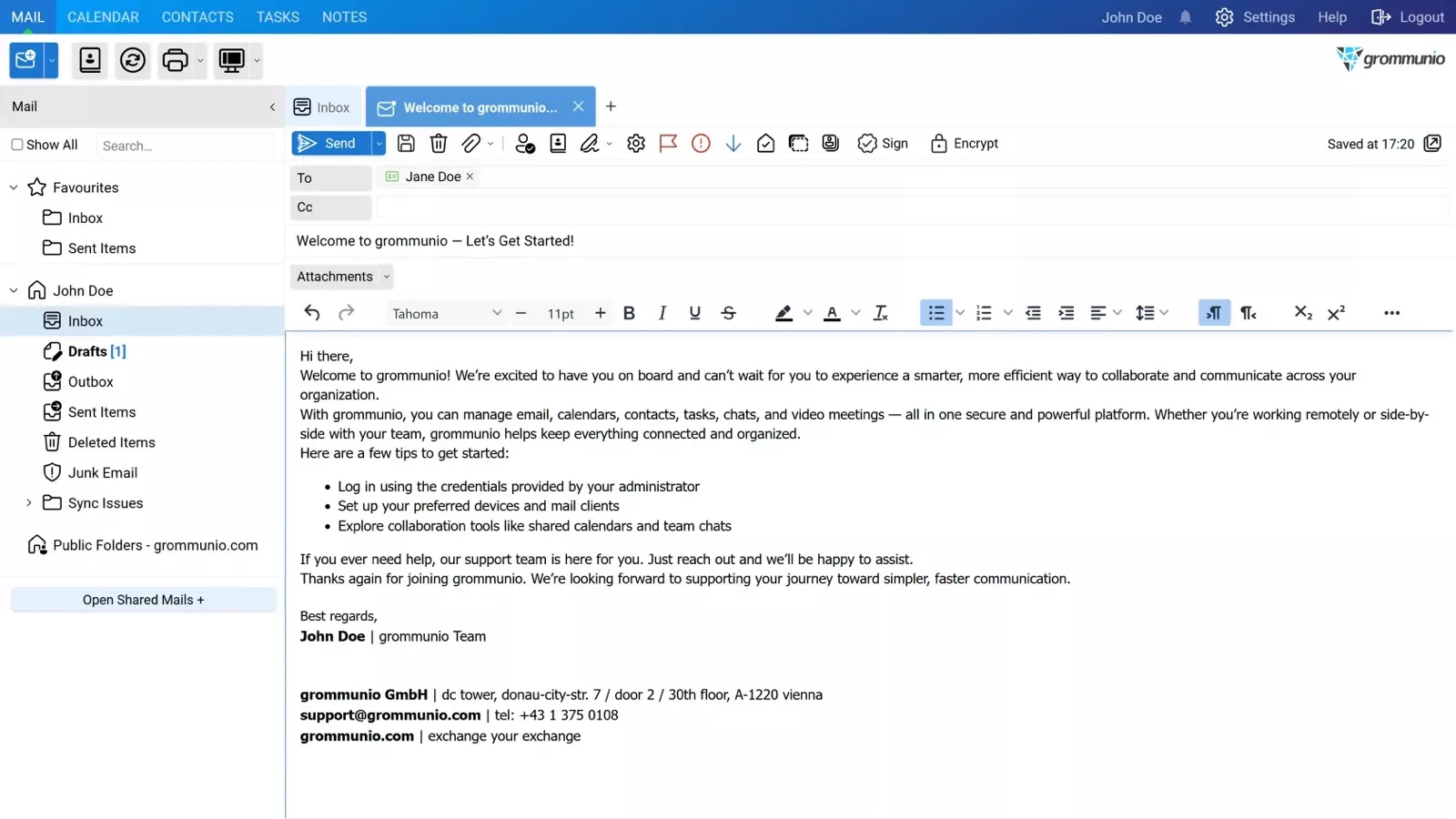
My view: if a lot depends on classic Outlook, for example software that files appointments or emails there, grommunio is the realistic choice. If you do not want to run a server and can live with Thunderbird or the browser, mailbox gets you there quickly and cheaply.
Why not Proton, Tuta or Google?
I deliberately left other Microsoft 365 alternatives for email off the shortlist: Proton from Switzerland encrypts throughout, but connects Outlook only via an add-on program and not in the new Outlook. Tuta from Hanover does not support Outlook at all. Hosted Exchange, for example at IONOS, remains Microsoft technology. Google Workspace (from €6.80 net) and Zoho are not European providers and only interesting for comparison.
Alternatives to Teams
Teams combines chat, video conferencing, files and often telephony. Among Microsoft 365 alternatives, no European product covers all of this with the same breadth. Usually two pieces complement each other: one for chat and projects, one for meetings with outside parties.
Chat, calls and video conferences with up to 150 participants, end-to-end encrypted throughout, guests via link. Servers in Germany, backups in Ireland. Wire for SMB costs €7.45 per person and month with annual payment, for up to 100 people.
Chat, tasks, projects and files in rooms, data in Germany, BSI C5 attestation. Strong if Teams mainly serves as a project space. Business costs €14 net per user and month with annual payment. Conferences are only included from Premium at €18.
Video conferencing with apps for all devices and a web version. Billing is per room, not per user: Professional costs €3.90 net a month for up to 300 participants. Well suited to client meetings and training.

An alternative for meetings is OpenTalk from the Heinlein group, operated in Berlin: €7.50 net per user who schedules meetings; participants need no account. There is no app yet. Threema Work from Switzerland is a good staff messenger from €3, but group calls are limited to 16 people. Nextcloud Talk and Element are mainly worthwhile for companies that have a provider run their systems anyway. Slack and Zoom come from the US.
Telephony
After leaving Teams, telephony runs on a cloud phone system. sipgate from Düsseldorf starts at €12.95 per seat and month, Placetel from Cologne at €6.90 with a 24-month term. Both can also connect to Teams if Teams stays for the transition. More in the article on the cloud phone system with 3CX or Teams Phone.
Alternatives to SharePoint, OneDrive and Office
Among Microsoft 365 alternatives for file storage, Nextcloud from Stuttgart is the standard: folders, external sharing, versions, sync with Windows and Mac, smartphone apps. The vendor only sells from 100 users and runs no servers itself. Smaller companies therefore get Nextcloud through a hosting provider.
Nextcloud with email, Euro-Office, chat and video, operated in German data centres. 1 TB storage and a 50 GB mailbox per user. Regularly €40 a month for five users, €190 for 25, including German VAT. Introductory offers are common.
Simple file storage with apps, snapshots and Office in the browser, stored only in Germany. Billing is per package: from €17.50 a month including VAT for five users and 1 TB. Good for small teams that mainly share folders.
Lean, modern file storage from the Heinlein group, developed from ownCloud. Runs on your own server or with partners. The choice of hosting providers is still small, and there are no public prices yet.
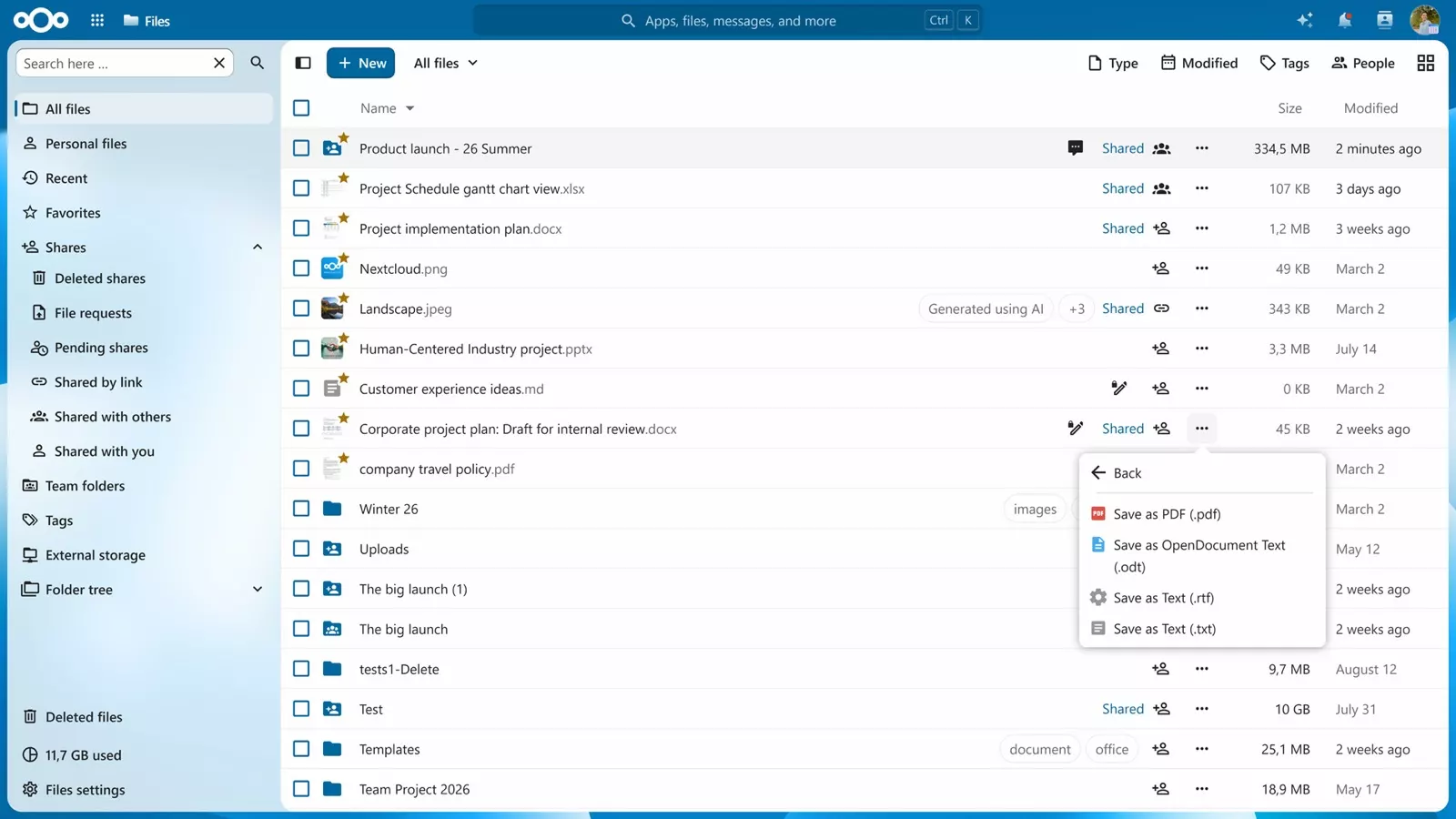
For particularly confidential data, Tresorit (majority-owned by Swiss Post) with end-to-end encryption or Infomaniak’s kDrive are options. ownCloud has belonged to a US company since 2023 and is therefore not on my list.
Word, Excel and PowerPoint
Works directly with Word, Excel and PowerPoint files, for Windows, Mac, Linux and smartphones. The NX Universal subscription costs €199 a year for five computers including German VAT; perpetual licences are also available. Macros only in its own language, no co-editing.
Free, established and usable without a Microsoft account; in Schleswig-Holstein on around 80 per cent of state workstations outside the tax administration. Weaker than SoftMaker with complex Excel files and VBA macros.
Collabora Online is the Office in many Nextcloud offers, from €3 per user and month on your own server. Euro-Office is part of the IONOS package. It is young, OnlyOffice accuses the project of licence violations, and much of the code comes from OnlyOffice.
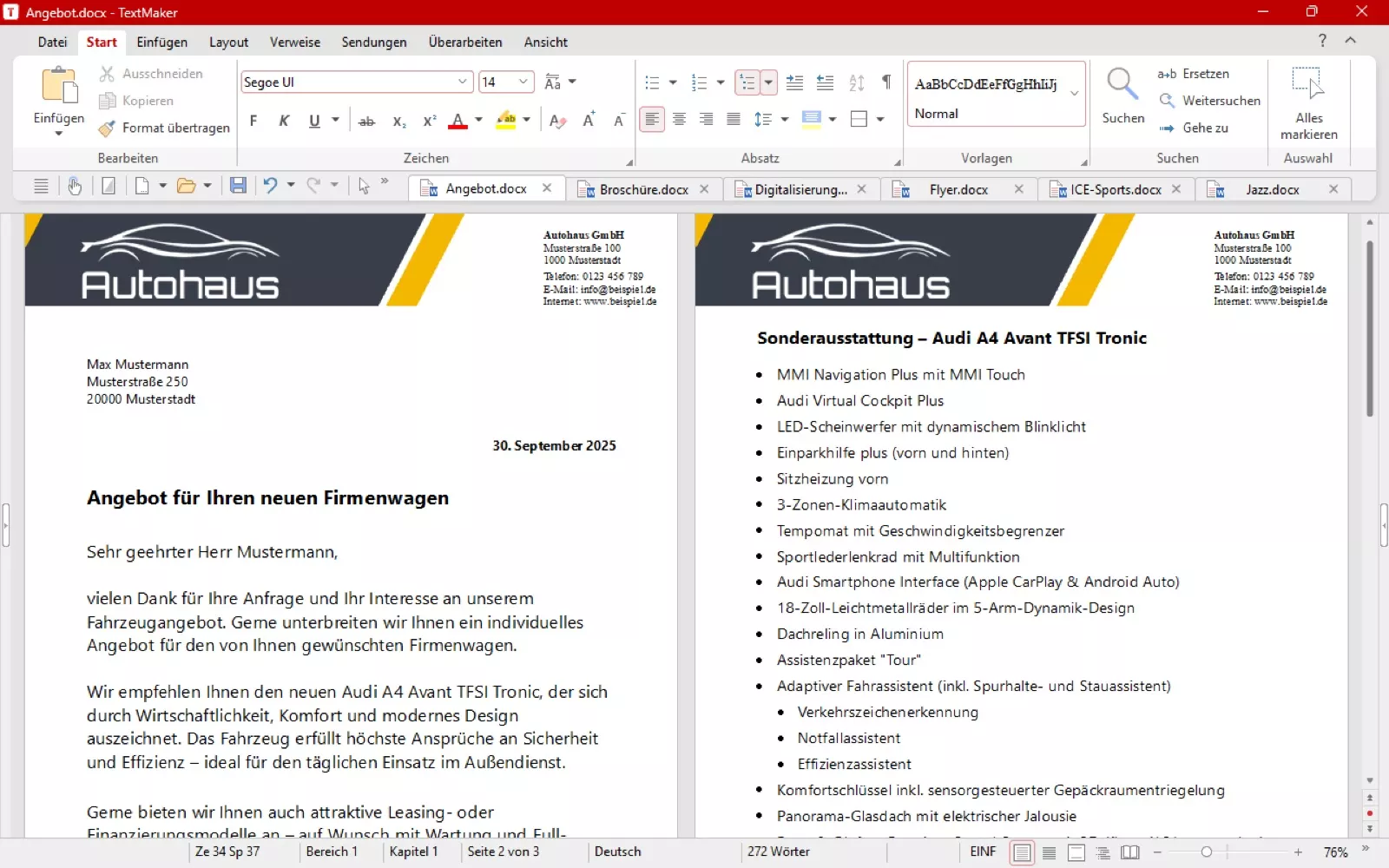
Folder storage, sharing, letters, quotes, simple spreadsheets and presentations. Files can stay in Word and Excel format; with simple documents, exchanging them with outside parties usually works well.
Excel files with macros or Power Query, templates with field codes, Access databases and software that opens documents directly in Word or Excel. A test with real files decides here.
A common middle way: files live in Nextcloud, while the computers keep Microsoft Office for now as a perpetual licence or subscription. That makes the data independent and eases the switch. The dependency on Microsoft Office itself remains, though.
Alternatives to OneNote
Of all Microsoft 365 alternatives, OneNote is the hardest to replace. No product combines free-form pages, pen input, shared notebooks and storage in Europe. These three come closest:
Functionally closest to OneNote: notebooks, attachments, web clipper, PDF annotation, a team plan and apps for all devices. Owned since 2023 by Bending Spoons of Milan, but according to its privacy policy the data is stored in the US. Familiar, but no gain in independence.
Open-source note app with notebooks for Windows, Mac and smartphones. Joplin Cloud Teams runs on servers in Paris and costs €6.69 per user and month with annual payment. OneNote notebooks can be imported. Drawing only via an extension.
Notes and shared knowledge pages directly in Nextcloud, with the same hosting provider as your files. More team wiki than notebook, without pen input or OneNote import. The simplest choice for companies moving to Nextcloud anyway.
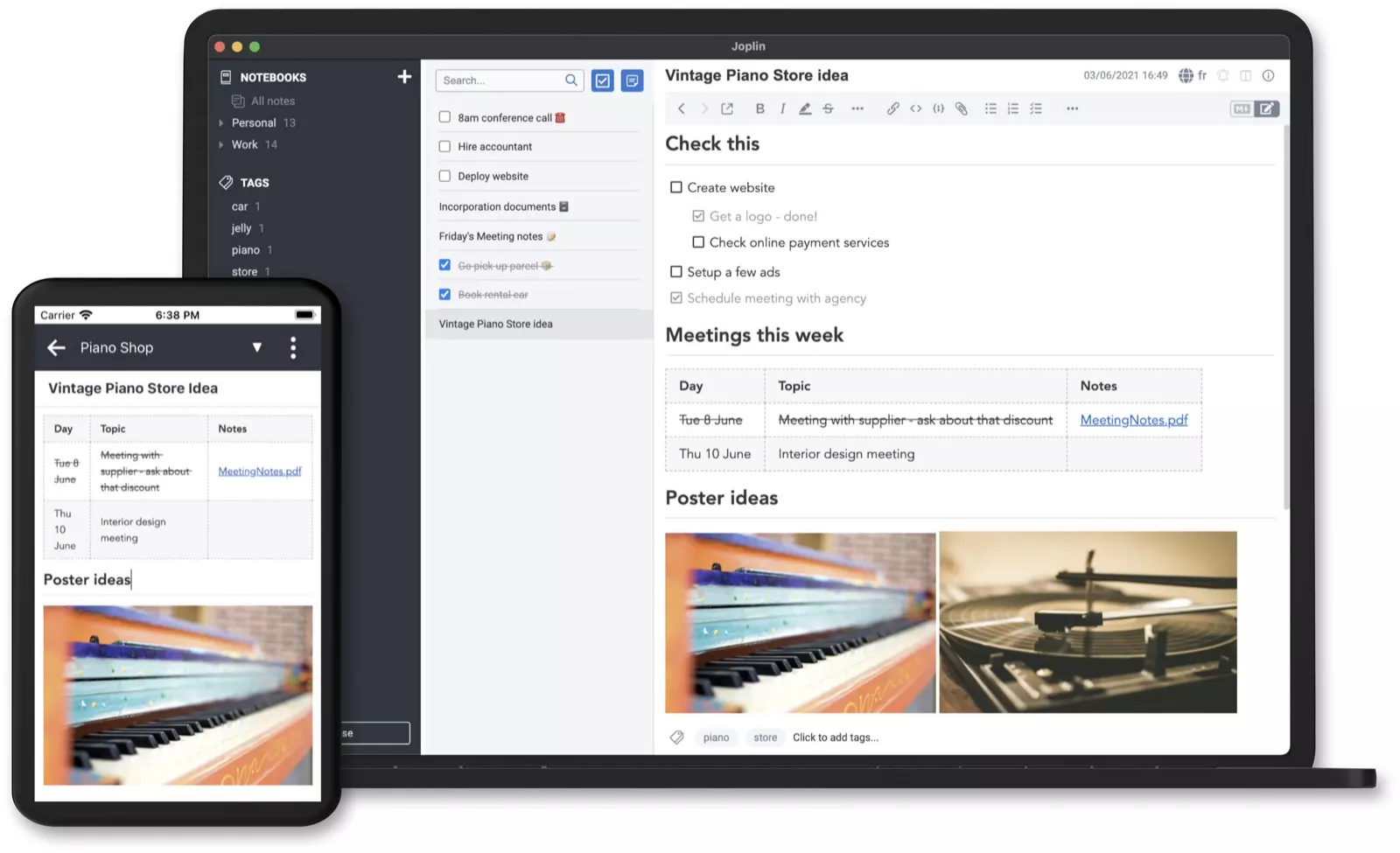
Notion is well known, but comes from the US, stores data in the EU only on the Enterprise plan and cannot import OneNote notebooks. Anytype from Switzerland is a European alternative in this style, from €20 per editor. Obsidian suits technically minded individuals rather than teams. If you write a lot with a pen on a tablet, there is currently no equal European replacement, and keeping OneNote for that is the best option.
All-in-one suites compared
If you do not want to assemble several Microsoft 365 alternatives yourself, choose a suite. None fully replaces Microsoft 365 including sign-in and device management, but for email, files and collaboration they are often enough.
| Suite | Base and data | Included | Cost |
|---|---|---|---|
| IONOS Nextcloud Workspace | Montabaur, data centres in Germany | Email, files, Euro-Office, chat, video | regularly €40 for 5 users, €190 for 25, incl. VAT |
| mailbox | Berlin, data centres in Berlin | Email, calendar, files, Office in the browser, video | Standard €4 net per user |
| Infomaniak kSuite | Geneva, Switzerland | Email, files, Office, chat, video | Business CHF 7.34 net per user |
| Proton Workspace | Geneva, Switzerland | Email, files, documents, video, encrypted | Standard €12.99 per user with annual payment |
| openDesk | ZenDiS (German federal), run by service providers | Email, files, Office, chat, video, projects, wiki | Community edition without licence fees, operation e.g. from €99 net for up to 10 users |
openDesk is the workplace suite that Germany’s Centre for Digital Sovereignty (ZenDiS) develops for public administration. According to ZenDiS, the paid Enterprise edition is aimed at organisations with more than 500 users. Small companies can reach openDesk today through service providers that run the free Community edition. Approved partners such as STACKIT offer pilot packages so far; regular operation is due to start in early 2027. Note on Workspace by STACKIT: it is Google Workspace with additional encryption, not a European suite.
What is often underestimated when switching
Much of the value of Microsoft 365 lies in parts you do not see. Many comparisons miss these points:
- Sign-in: Microsoft Entra ID controls who signs in where, with multi-factor authentication, access rules and app integration. Replacing Entra ID takes more than a user list. For small companies, Univention Nubus from Bremen (Enterprise from €35 net per user and year) or open-source Keycloak are options, usually via a service provider. They do not replace every function, though.
- Devices: If you manage laptops and smartphones with Intune, you need a replacement. German options include Relution for Windows, Mac, iPhone and Android, and ACMP by Aagon mainly for Windows. For Apple-only environments, Apple Business has been free since April 2026.
- Migration tools: Microsoft is retiring the EWS interface in Exchange Online, which many tools use to read mailboxes. Since October 2026 it has been blocked by default, and it ends completely in April 2027. Settle the migration tool early.
- Security: Spam and phishing protection, malware scanning and audit logs are built into Microsoft 365. Check what the new provider includes.
Operations and people
- Retention and records: email archiving, legal retention periods, data export and access logs. A new email provider does not automatically replace archiving you need.
- Operations: A self-hosted solution needs updates, backups and monitoring. That takes ongoing time or support.
- People: New programs need training and a transition period. A pilot with one department shows early where things get stuck.
Switching can lower licence costs. Whether it is cheaper overall depends on hosting, support, backup, archiving, roll-out and the functions you still need. That is why a cost comparison over several years makes sense. The gain is control over your own data and no longer depending on the decisions of a single corporation.
How a switch works
- Assessmentservices, data, dependencies, business software
- Set the goalsafeguard, mixed setup or full switch
- Pilotone department, real files, a few weeks
- Move in stagesfiles first, then email, then communication
- Operationbackup, updates, a named contact
I take care of these steps for you: I plan the move, set up the new services, migrate mailboxes, calendars and files and show your staff the new tools. I only switch off the old service once email, calendars, files and the key applications have been checked in the new system. A way back is planned in advance in case problems arise. Afterwards I remain your point of contact for operation.
Staying with Microsoft and still becoming more independent
Not every company should switch now. If you work deeply in Microsoft 365, have had good experiences and do not process particularly sensitive data, staying is a reasonable choice. The dependency can still be limited:
- a Microsoft 365 backup that can be reached without a Microsoft sign-in. It allows restoring data, but does not immediately replace the running email or file service,
- your own domain with an independent registrar, so that email can be redirected at any time,
- an emergency channel outside Teams, such as Threema Work or a phone list,
- administrator access and documentation that can be reached without Microsoft,
- a written plan of which services would be replaced in which order.
Frequently asked questions
Isn’t Microsoft’s EU Data Boundary enough?
The EU Data Boundary governs where Microsoft stores and processes data. It has been fully implemented since February 2025, with exceptions such as security incidents. It does not change the legal disclosure obligations Microsoft is subject to as a US company. Whether data must be handed over in a given case depends on the legal requirements. The storage location alone is no guarantee.
Can my staff keep Outlook?
With classic Outlook for Windows, grommunio is an option; the connection works as with Exchange. Whether your version and the calendar and sharing functions you need fit should be tested before switching. The new Outlook for Windows does not support such providers. According to Directions on Microsoft, classic Outlook remains available to Microsoft 365 customers until at least 2029. With most other providers, Outlook only works via IMAP. Email then works, but shared calendars and mailboxes only to a limited extent.
Is open source automatically more secure?
No. Open code can be reviewed, but it still has to be maintained. A Nextcloud without updates is more dangerous than a well-configured Microsoft 365. Security comes from how a system is run, not from its licence.
What does switching cost?
That depends on the number of users, the amount of data and your business software. Individual Microsoft 365 alternatives are cheaper than the original. If together they are to cover email, Office, chat, video, security and administration, total costs are what count. Planning, migration and training come on top. An assessment beforehand shows what to expect.
Sources
- Outage of 12 November 2026: heise online – Microsoft 365 outage takes down Teams, Exchange and Copilot, Borns IT- und Windows-Blog – Outlook.com and Exchange Online disrupted (as of 13 November 2026)
- Statement by Microsoft France: Sénat – Commission d’enquête commande publique, hearing of 10 June 2025
- International Criminal Court: The Register – ICC ditches Microsoft Office (31 October 2025), The Register – Microsoft asks UK Parliament to correct record (18 February 2026)
- Schleswig-Holstein: heise online – email migration in Schleswig-Holstein, State of Schleswig-Holstein – switch to Open-Xchange, State of Schleswig-Holstein – status of the open-source switch (December 2025)
- EU Data Boundary: Microsoft – EU Data Boundary completed (26 February 2025)
- Outlook and EWS: Microsoft – supported account types in new Outlook, Microsoft – deprecation of EWS in Exchange Online, Thunderbird – Exchange support
- Email: grommunio, mailbox, Tuta, Google Workspace
- Chat, video, telephony: Wire, Stackfield, alfaview, OpenTalk, Threema Work, sipgate, Placetel
- Files and Office: IONOS Nextcloud Workspace, Nextcloud, STRATO HiDrive Business, OpenCloud, SoftMaker Office, Collabora Online
- Notes: Evernote – privacy policy, Joplin, Notion – data residency, Anytype
- All-in-one suites: Infomaniak kSuite, Proton Workspace, openDesk – operating models, Byggia Cloud – openDesk costs, Workspace by STACKIT
- Sign-in and devices: Univention, Keycloak, Relution, Aagon ACMP (all prices as of 14 November 2026)
- Euro-Office and licence dispute: heise online – OnlyOffice accuses Euro-Office of licence violations, Nextcloud – Euro-Office generally available from 9 June, heise online – Euro-Office announced
- openDesk: openDesk – partner programme, Borncity – ZenDiS opens partner programme to private IT providers (September 2026)
- Proton and the new Outlook: Proton – Mail Bridge and the new Outlook for Windows

Consistent email signatures for Microsoft 365 with CodeTwo
Set it once, centrally, and it appears under every email from every device: what consistent signatures with CodeTwo achieve, how it works and what it costs, with a price calculator.
Read article→
Email archiving: what the GoBD require and why the mailbox is not enough
Business emails must be kept complete and unalterable for six or eight years. Why the archive mailbox in Microsoft 365 is not enough, how a journal rule captures every email and what Hornetsecurity and MailStore offer.
Read article→
Privileged Identity Management: admin rights only when needed
Permanent admin rights are the biggest risk in many Microsoft 365 tenants. How PIM grants roles only when needed and for a limited time, which licence it requires and what Business Premium achieves without PIM.
Read article→